Help
Help advice, tips and guides
Setting up an online store or website is only the first step toward a successful online presence. We've put together tips to help you not only manage your content but also get noticed online.
- advice, tips and guides in one place
- online store, website, email and domains
- recommended practices step by step
Help topics
What do you need help with?
Recommended practices for creating content for your website and online store. Expand the area you're interested in.
Online storeAdvice, tips and guides for setting up and running a successful online store

Recommended starting point
First steps with your online store
New online store? Start with these guides.
Settings
- Beginner's store guide
- Setting up your own domain for an online store
- Moving your store to ClickEshop
- Adding a faviconShow an icon in the browser's address bar.
- Changing your admin password
- VAT payer / non-payer settingThis setting affects how prices are displayed.
- Setting a minimum order valueEncourages customers to order more, or use it for B2B customers.
- Upgrading to a higher planYou can switch to a bigger plan at any time.
- Mail server settingsFor sending emails correctly from your own domain.
Sales promotion
- Tips and advice!How to make your online store more visible online.
- SEO optimizationFor search engines.
- B2B wholesale module
- Settings for B2B customersConfiguring and displaying prices, B2B price groups, discounts and rebates in your online store.
- Discount codesA great marketing tool to boost sales.
- Gifts with ordersAn incentive for customers to add more products.
- Paid advertising + campaign management
- Exporting products to shopping comparison sitesHeureka, Google, …
- Online messenger – Live chat
- GDPR personal data protection
- Adding cookie consent
- Loyalty program
Editing content
- Creating content – adding components
- Adding an imageCustomize the look with your own images.
- Category generatorAutomatically create image-based categories.
- Changing the position of categories
- Showing / hiding contentSetting up a menu link or product category.
- Wrapping text around an imageHow to set up text wrapping around an image correctly.
- Setting up images for mobile devicesImages can be set differently from the standard desktop view.
- Image zoom and image gallery
- Adding a YouTube videoEnrich your page with multimedia content.
- Adding and editing column blocksTo improve the overall design of your page.
- A few text editor tricksMake formatting text easier when editing a page.
- Adding a Google Map to the Contact section
- Adding hyperlinks / internal linking
- Connecting your page to Facebook
- Editing preset texts in your online store
Products
- Product attributes – a complete overview of all attributesStandard attribute with a different price (size, color, …), product variant, price calculated by formula, text attribute, information text, calendar, file attached to a product, formula.
- Product attachment and note
- Product filteringFor faster searching.
- Organizing filtersSaving into folders and subfolders.
- Adding products to the home pageTo draw customers' attention.
- Products that can't be orderedSetting up products as a product catalog.
- Bulk product editing – quick edit
- Bulk product editing – export/import
- XML feed (products)Supplier integration, automatic product import, connecting ClickEshop with other systems.
- Setting up stock management for products
- Sorting products in categories
- Setting up volume discounts for products
- EU GARANManufacturer's warranty information.
- Displaying product information under GPSR
Orders
- Invoicing systemOrder, invoice, credit note, quote, …
- Withdrawal from the contract (returns)
- Order attachment
- Adding a new document statusOrders, invoices, …
- Using parameters (variables) in emailsIn the emails sent to customers when an order is completed.
- Bulk order status change
- Connecting to accounting and other systems
Shipping and payment
For advanced administrators
- Adding your own JS and HTML code
- How to upload a JS (JavaScript) file
- How to upload a CSS fileCascading style sheets that adjust the look.
- Adding a font to your pageLets you change the font set in the template.
- Connecting Google E-commerce tracking, Meta (Facebook) PixelOr other affiliate systems.
- How to add Google Analytics / Google Tag Manager
- Automatic order and invoice processingConnecting to another system (accounting, CRM, …).
- Automatic import of products and stock levelsConnecting to another system (accounting, CRM, …).
WebsiteAdvice, tips and guides for using websites
Recommended starting point
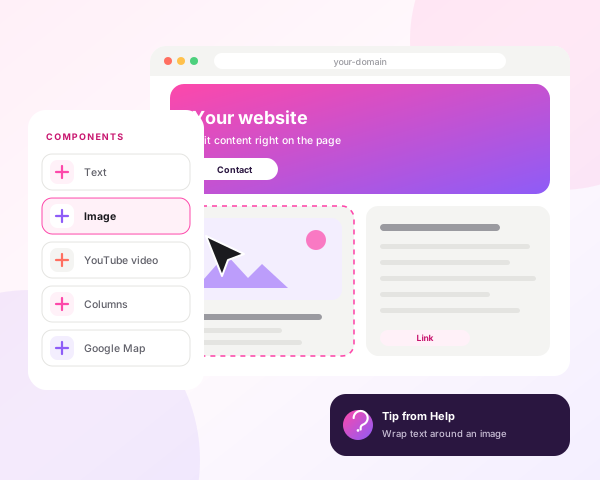
Edit content right on the page
Add text, images, videos and columns using components.
Settings
Tips and advice
Editing content
- Creating content – adding components
- Adding an image
- Wrapping text around an image
- Setting up images for mobile devices
- Image zoom and image gallery
- Adding a YouTube video
- Adding and editing column blocksTo improve the overall design of your page.
- A few text editor tricks
- Adding a Google Map to the Contact section
- Adding hyperlinks / internal linking
- Connecting your page to Facebook
- Adding cookie consent
For advanced administrators
Email hostingReceive, write and send emails under your own domain
DomainsYour own domain settings for a website, online store or email on your own domain
Domain settings
Website / online store – custom changes
Have specific requirements?
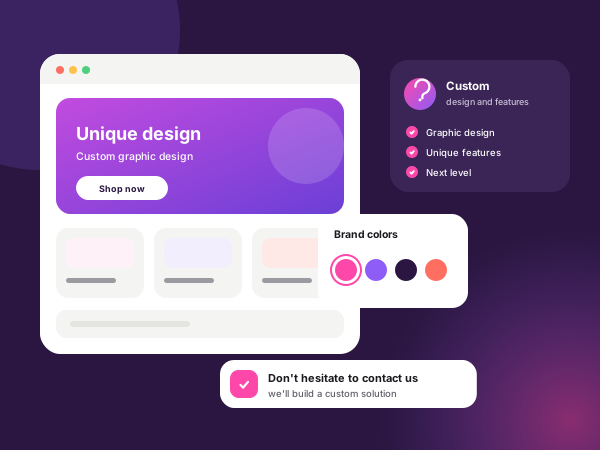
Do you have specific requirements for design or functionality? We'll make you stand out with a unique graphic design and a solution with one-of-a-kind features.
- Unique graphic design that sets you apart.
- A solution with one-of-a-kind features tailored to your needs.
- Make your site more attractive with our designers and take it to the next level.
Don't hesitate to contact us.