We keep updating ClickEshop and regularly bring you new features and interesting articles that help you sell more efficiently and improve the customer experience. You take care of your business, we provide professional support for your online presence.
News
News and articles
All the news in one place, newest first. Each article links to a detailed guide in Help.
2026
Design and content
New admin: even faster and more secure
We're taking project management to the next level! Thanks to modern technology, it offers higher speed, better performance and an even more secure environment for your everyday work.
The admin is fully optimized for mobile devices, so you can manage your projects comfortably on a computer, tablet or phone. Smooth control and comfortable work, whatever device you're using. ClickEshop keeps evolving and brings technological improvements that help you run your business simply, efficiently and securely.
Shipping
Additional delivery information
Sometimes a little extra information is all a customer needs to complete their order. You can now show your own text on the product page, based on the delivery time you've set – and use it to match the current situation in your store.
Example: with a delivery time of 2 days, the text "Order now and we'll deliver within 2 days." is shown. You can edit and personalize this text as you like. Before Christmas, for example, you can tell customers "We'll deliver before Christmas". The text is easy to adjust, and you can set different information for different delivery times. You only need to set the texts on one product and they are applied automatically to all products in your store.
The EU GARAN regulation only applies to certain sellers and certain products and is handled by adding the required information to the product and the website. For products covered by EU GARAN, the label must be displayed right on the product. It must not be used for your own commercial guarantees, extended warranties or warranties the customer pays extra for.
GEO+SEO: When customers search with AI, make sure they find you
Artificial intelligence is changing how customers search for products and decide where to buy. GEO helps prepare your store for this new way of searching and increases the chance that AI correctly understands your content, products and offer.
ClickEshop gives you tools to help with this. We've put together a practical summary in Help of how GEO works and what you can do for your store.
We've expanded QR payment options in ClickEshop again. In addition to the existing Slovak standard, QR payments now also support the Czech, Hungarian and international standards, so you can easily use QR payments for orders in foreign currencies and localizations too.
The QR code is automatically generated based on the order currency. If you have the option "Attach QR code to payment"enabled for a payment method, e.g. bank transfer, the QR code is shown right in the .pdf order and also sent to the customer as an email attachment. The customer doesn't have to retype payment details – they just scan the QR code in their mobile banking app and confirm the payment.
You can show product attributes right in the product listing, so the customer immediately sees important information, such as: size, color, variants and other properties. Fewer clicks and easier shopping mean simpler, faster sales. You can enable attribute display for products that use a Standard attribute with a different price or a Variant.
To make sure you never miss a return or complaint, we've extended the summary statistics in the online store admin under the HOME menu with unresolved complaints/returns and their total over 60 days. A complaint/return is considered unresolved if the document status hasn't changed from the original "product return" or "product complaint" status.
Custom document statuses can be added under Global settings - Edit texts - LISTS - Document statuses.
Payments and documents
Margin module
Do you use supplier integration and the margin module? Margin settings now appear in a separate module under Global settings/Feed, which makes price management even clearer and easier.
What is the margin module for? If you'd like detailed control over pricing, you can set margins for individual categories as well as by manufacturer within each category. If you'd like this add-on module for your supplier's XML file, please contact us.
Shipping
GLS ParcelShop and GLS Parcel Locker
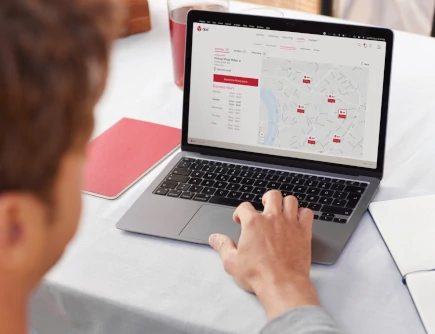
We're expanding delivery options to make sending orders to customers even more convenient. We've added support for GLS ParcelShops and GLS Parcel Lockers.
GLS Parcel Locker - easy 24/7 parcel pickup at self-service GLS Parcel Lockers. GLS ParcelShop - pickup points for collecting parcels with longer opening hours.
You can enable the new feature right in the admin.
Store owners, get ready. From 19 June 2026, online stores have a new obligation that makes it easier for customers to withdraw from a contract. The aim is to make withdrawing as easy as buying.
We've prepared more than just compliance with the new legislation. Our new solution greatly simplifies and speeds up the entire return process, saves time and keeps a clear overview of orders and returns.
QUICK SUMMARY OF CHANGES implemented in the system for the new legislation:
Returns in a few clicks - a customer who decides to withdraw from the purchase can return the whole order or just selected items. In the order detail they'll find an overview of the ordered goods, where they just click "return products", select the products they want to return and confirm with the button.
Confirmation email - once the return request is sent, both the project administrator and the customer receive a confirmation email with information about the return.
Records in the admin - the project administrator sees the request under CUSTOMERS / Orders/Invoices / Complaints tab.
Automatic link to the order - the return is automatically linked to the specific order.
A refreshed look for the .pdf documents (orders, invoices, quotes, ...) generated by the system, plus a switch to UTF-8 encoding, ensures accented characters display correctly on different devices and in different languages.
Shipping
Packeta - export update
We've updated the order export for Packeta to match the latest requirements and the CSV 8 import specification.
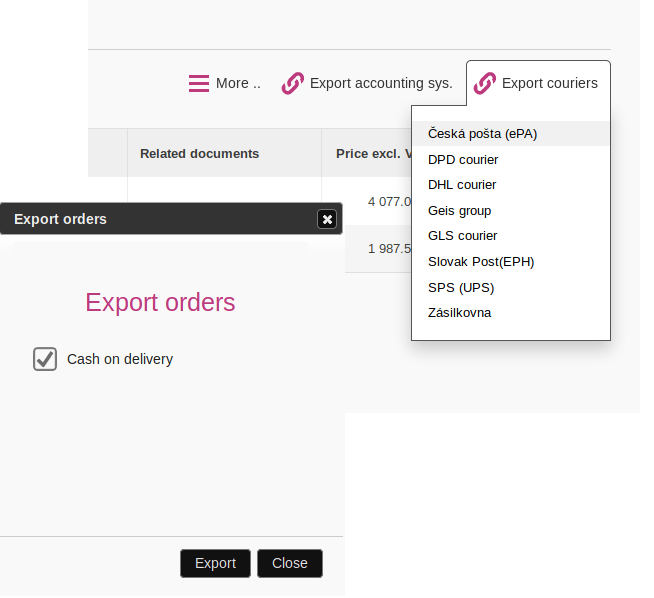
Our tip: if you tick the option "This is cash on delivery" in the cash on delivery payment settings and the customer chooses cash on delivery, this information is automatically carried over to the Packeta export. Less manual editing, more convenience in your daily order dispatch.
Products and shopping
Registered customers - extended settings
We've added bulk changes to the Registered customers module, so in a few clicks you can change the B2B groups of several customers at once.
Just select the customers, choose the B2B group(s) you want, and the system makes the change automatically. Bulk B2B group assignment helps keep your database clear and organized.
Payments and documents
QR code payment
QR payments are a step toward faster, more efficient online sales. Merchants can choose which payment methods show customers a QR code in the order (e.g. bank transfer) by ticking the box "Attach QR code to payment".
The customer doesn't have to retype the account number or amount – they just scan the QR code in their mobile banking app. The result is fast, error-free payment. Faster, more convenient payment means more completed orders.
Products and shopping
Extended B2B settings
B2B group settings now include the option "Apply B2B group to" selected products or all products. For hassle-free assignment of a B2B group and its discount to all newly added products, use the setting apply B2B groups to all products. Recommended especially for wholesale partners or supplier integrations via XML files.
Products and shopping
Clear attributes in a tab
Do you have a lot of information on a product and use the Information text attribute type? By default, this information is shown on the product page below the product name.
The Information text settings now let you show these attributes in a separate product tab without having to enter the information again. Just tick the option "Show attribute in a tab"
Information text
Shipping
Cash on delivery - courier export update
A checkbox has been added to the payment detail: "This is cash on delivery". When you tick it, this information is automatically taken into account when exporting orders to courier companies, so you only need to create one type of export. Exports have been updated for these couriers: DPD, GLS, Packeta/Zásielkovňa.
2025
Marketing and SEO
A new way to track conversions for Heureka
Heureka has changed how conversions are tracked and the original tracking no longer works. The steps to activate the new conversion tracking are updated in the Heureka help article, in the section CONVERSION TRACKING.
Tatrapay+ is a modern, secure payment gateway from Tatra banka that combines several payment methods in one solution. Your customers can choose the payment method that suits them: card payment, bank transfer or buy in installments.
For card payments, they can enter the card details manually or use Apple Pay or Google Pay. Fast bank transfer allows transfers not only within Tatra banka but also from accounts at other banks via bank payment buttons.
An easy way to mark documents as paid? Yes – the new update lets you import payments (transactions) from your bank or from carriers. The Customers - Orders/Invoices module has a new "Payments" tab. Payments are automatically matched to documents such as orders or invoices by variable symbol.
You can import information from Packeta, using version 9 for the export. The module will gradually be extended with more payment matching options.
Marketing and SEO
Marketing on the product page
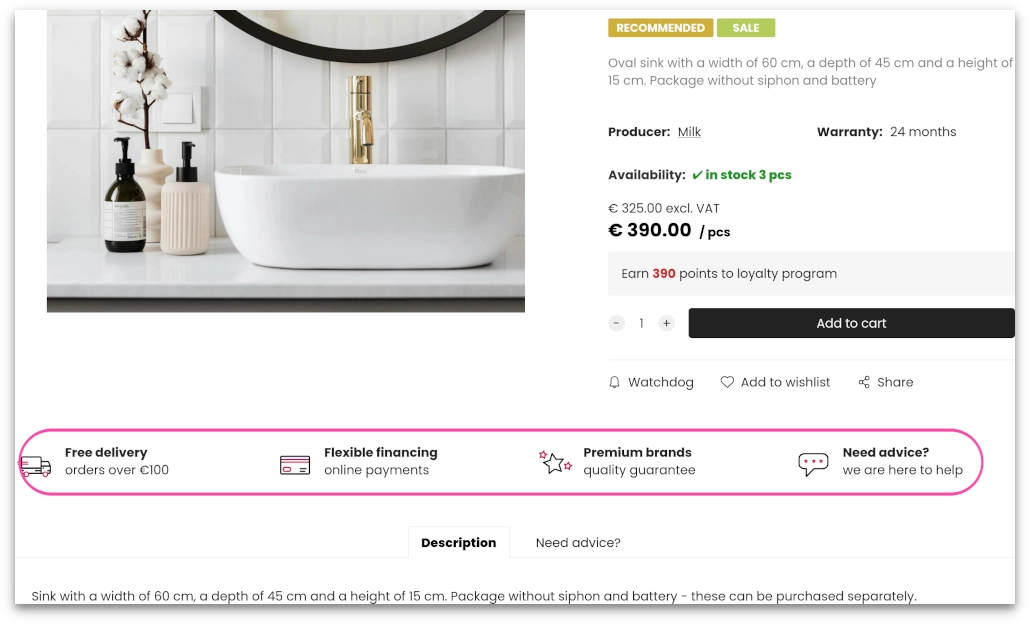
Keep important information in front of your customers. A new field has been added on the product page, above the product description, for marketing information such as your store's competitive advantages.
You only need to add the information on one product and it will automatically appear on all other products.
Our tip: Marketing in the cart
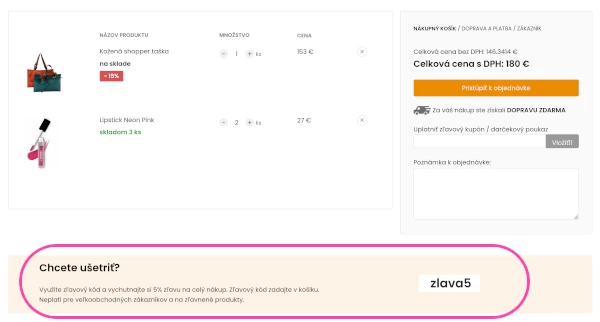
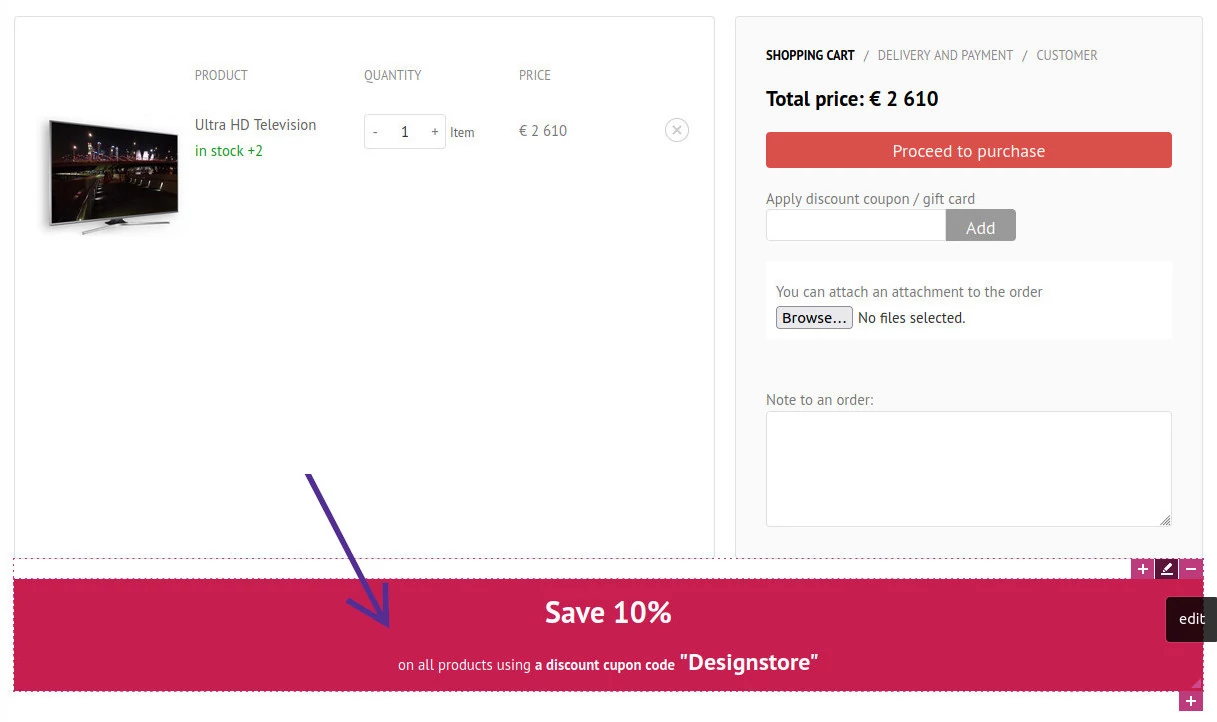
Need to alert customers to something important during checkout? An editable field in the shopping cart lets you add your own content: images, texts, background color, ...
How do you format the field? In the ClickEshop admin just add a product to the cart and then open the shopping cart. You can also use the content editing components.
Marketing on the product pageMarketing in the cart
Marketing and SEO
Add filters, edit the loyalty program
Bulk product editing is very popular, so we've expanded it again. You can now also bulk add:
Filters - If you haven't used filters yet: filters help your visitors quickly find the product they want, which also increases completed purchases. Bulk changes let you add/remove a product's standard filter value. When using filters, we recommend considering the filter type and preferably using the attribute filter, which links to products automatically.
Loyalty program - A loyalty program encourages existing customers to buy again and helps turn them into regular customers. Bulk changes let you adjust the discount of selected products in the loyalty program.
Security and legislation
European Accessibility Act
From 28 June 2025, the EAA WCAG 2.2 rules on the accessibility of digital services come into force. They aim to ensure that people with disabilities can use digital services without problems, such as shopping online or browsing websites. From that date, these rules apply to all businesses with an annual turnover over 2 million euros and more than 10 employees. The main point is that content should be:
understandable and accessible to users with disabilities too
the colors used on the page have sufficient contrast
the page supports keyboard navigation without using a mouse
Online stores and websites built with ClickEshop support easy navigation without a mouse and let you adapt your project for users with disabilities. You can work with the extra content on your page mainly in these areas:
Image description (added as the image's SEO description) - Every image on the page should have alternative text that describes it. This doesn't apply to product images, which automatically get the product name
Contrast - fonts should use a sufficiently strong color. If text sits on a background, the contrast between text and background should be strong enough.
Accessibility statement - publish a statement on your site that tells users how far the website meets accessibility requirements and gives information about any inaccessible parts of the content
Headings - The page structure should be logical and readable by screen readers. Use headings on the page (like chapters in a book) to give it a clear structure - this is important for SEO too.
Quick product editing brings interesting new features:
Pricing - lets you enter a discount amount on the product, increase or decrease the price of the product by x %, with the price recalculated automatically, or round the price of the product to a set number of decimal places.
Product editing - covers several product settings: Product status, Price display, Product display, Unit of measure, Minimum order, Cart multiples of, Exclude from catalogs (XML feeds), Don't add base price to attributes, Disable changing quantity in cart, Disable ordering when out of stock
B2B groups - bulk add/remove B2B groups on products
DNSSEC provides an additional level of protection for your domain. It prevents users from being redirected to a fake address where sensitive data could be obtained or misused. For domain owners, it increases trustworthiness and for site visitors protection.
DNSSEC can be enabled right in the ClickEshop admin under Domain management. To enable it, you must use ClickEshop NS servers.
Products and shopping
Extended filter functionality
Your customers will love this. You can now enter alternative names for filters. What are the benefits for your customers? Easier shopping and fewer clicks to find the product they want. And the benefit for store owners? A well-tuned product filter can significantly increase the share of completed purchases.
Example 1: Size for shoes can have different values, e.g.: 40; 40.5; 40 1/3; 40 2/3 and so on. So the customer doesn't have to think about which values to tick, show only size 40 in the filter and add 40.5, 40 1/3 and 40 2/3 as alternative names. A customer who ticks size 40 will then also see products in sizes 40.5, 40 1/3 and 40 2/3, which they might have forgotten to tick.
Example 2: There are countless shades of color in the world. Color blue can also be labeled as: light blue; dark blue; turquoise, royal blue, royal, indigo, petrol, azure, aquamarine, .. If a customer is looking for a product in blue and you add these alternative values as alternative filter names, the customer just ticks "blue" and sees products in all the shades of blue you've added.
Packeta / Zásielkovňa has updated its shipping integration to use an API key. You therefore need to update the plugin under Global settings - Shipping - Packeta/Zásielkovňa
The key change is that everyone using Packeta needs their own API key for the integration, which they'll find in their Packeta profile after signing in. In the ClickEshop admin, in the Packeta / Zásielkovňa shipping detail, update the script (delete the old one + insert the new one) and add your API key to the script.
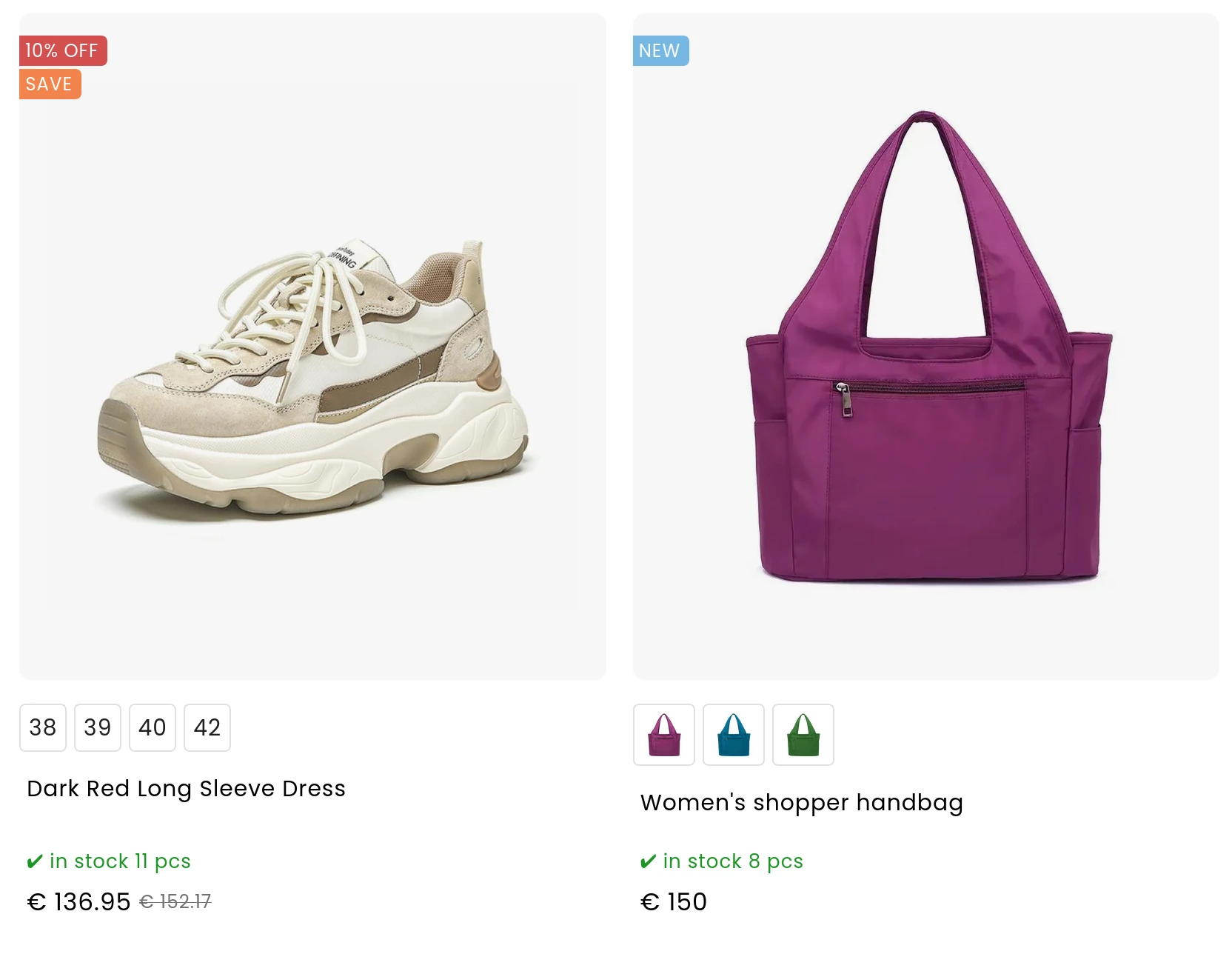
Creating your own product labels is very popular, so we've extended the feature further: you can now also set a priority for labels.
Priority1 means that products with this label will be shown at the top, above other productsin the product listing. Conversely, Priority3 puts labeled products right at the end, after other products. Priority2 follows the product sorting settings in the category.
Of course, you can set your own text, background color and text color for labels. Our tip: You can use symbols in the text too :)
Security and legislation
Multi-factor account authentication
To increase security, from 01/02/2025 every account with an active service plan or domain will be protected by multi-factor authentication. Multi-factor authentication, also known as MFA, adds an extra layer of protection by requiring another form of verification besides your password when you sign in.
When signing in, the user will receive a verification code by email to confirm their identity, which they enter together with their password. When signing in, the user can mark the browser as trusted. Then, the next time they sign in, they won't have to enter a verification code again. Every browser you sign in from needs to be verified.
Products and shopping
Bulk product editing - quick edit
A new option has been added to the product listing for quickly editing several products at once. Select products in the top right corner and click "Bulk changes" in the left toolbar, and the system lets you bulk:
Boost sales and build a community of loyal customers with a loyalty program. A loyalty program encourages existing customers to buy again at better prices and helps turn them into loyal, regular customers in the future. Registered customers earn loyalty points by buying products. Once they've collected enough points, they're assigned to a loyalty tier with a corresponding discount on selected products.
Based on the number of points collected, you can create several loyalty tiers with different discount levels, and for different customer groups, you can set different discount levels.
Entering the number of products in stock enables the automatic stock system. The stock quantity of the product is automatically reduced based on customer orders.
What if you have a lot of products in stock but only want to show a certain number? Just click the Availability field on the product page and fill in Maximum displayed quantity In stock [pcs]
The new General Product Safety Regulation (GPSR) comes into force on 13/12/2024. The regulation aims to maximize product safety on the European market and consumer protection. Slovak online stores, too, need to display more information about their products.
From 1/1/2025, the standard VAT rate changes from 20% to 23%. To make the change easier, for online stores with the Slovak localization 01.01.2025 prices at the standard 20% VAT rate are automatically recalculated to 23%. The price excluding VAT stays the same; the VAT amount changes and the price including VAT is recalculated automatically and increased proportionally. If you'd like to recalculate prices yourself or don't want automatic recalculation, let us know by email. For customers who are not VAT payers i.e. who have the field "Show prices with VAT breakdown" unticked in the project settings, automatic price recalculation won't take place.
If your online store is connected to accounting software we recommend stopping the connection between your accounting and your store on 31/12/2024. ClickEshop will automatically recalculate VAT to 23% and increase the prices including VAT on products in your store. Then, in the New Year on 02/01/2025, 03/01/2025 or 04/01/2025, roll your accounting over to the new year, set the new VAT in your accounting software and restart the connection with your online store.
Security and legislation
A modern cookie consent component
Websites and online stores running on the ClickEshop platform come with a built-in cookie consent management component that is compatible with Google Consent Mode V2. The component is optimized for mobile devices, laptops and high-resolution PCs and we recommend using this solution for consent mode.
New information has been added to order management: Weight, Width, Height and Length. This information is used by shipping companies and isn't shown to your customers in the order.
If you've set weights on products in your online store, they're added up and the Weight field shows the total weight of all products in the order. You can fill in the width, height and length based on the packed parcel.
Security and legislation
Email for ClickEshop notifications
Does your store owner or accountant sometimes miss the documents for paying for ClickEshop services? A new field has been added to the billing details: "Email address for invoice reminders and notifications from ClickEshop". By filling in this email address under Global settings - Billing details you make sure system reminders reach the right person.
If you leave this field empty, system reminders will be sent to the Contact email set in your billing details.
Shipping
DPD pickup points
Your customers can pick up their online orders quickly and easily at a pickup point they choose from a pre-filled list.
All you need is a contract with DPD, which gives you an individual API key, and to enable this shipping type in the ClickEshop admin.
Organize your filters into folders and subfolders. We recommend saving filters into folders especially if you create several filters with the same name, e.g. a Manufacturer filter for several categories. In that case, create folders named after the category / categories you're creating the filter for, e.g. Clothing.
A well-tuned product filter can significantly increase the share of completed purchases. So let your customers quickly find the product they're looking for. New filter types have been added, based on the information they use for filtering.
Manufacturer - The Manufacturer filter is automatically linked to the Manufacturer field
Stock - The stock filter automatically identifies products in stock
Standard - The standard filter isn't tied to any information on the product and lets you enter different criteria
Attribute - The attribute filter lets you use information entered in the attributes of the product
And the best part? You don't need any extra add-on to use filters. They're available in every online store plan. Our tip: if you've used filtering before and want to switch to automatic filtering, e.g. Manufacturer, just change the filter type in the product detail to the new type.
Importing products from an XML file is one of the fastest ways to add a large number of products to your online store.
If your supplier provides an XML file in a standard structure, product information from that file can be easily imported in the ClickEshop admin. Bulk import now also supports importing products from a Google XML file. You can also use product import from a Heureka or Google XML file if you're moving to ClickEshop from another online store platform.
If you want your online store automatically connected to your supplier's stock via an XML feed, contact customer support.
Design and content
A website with an online store
Not sure whether a website or an online store is better for you? We have the right solution for you.
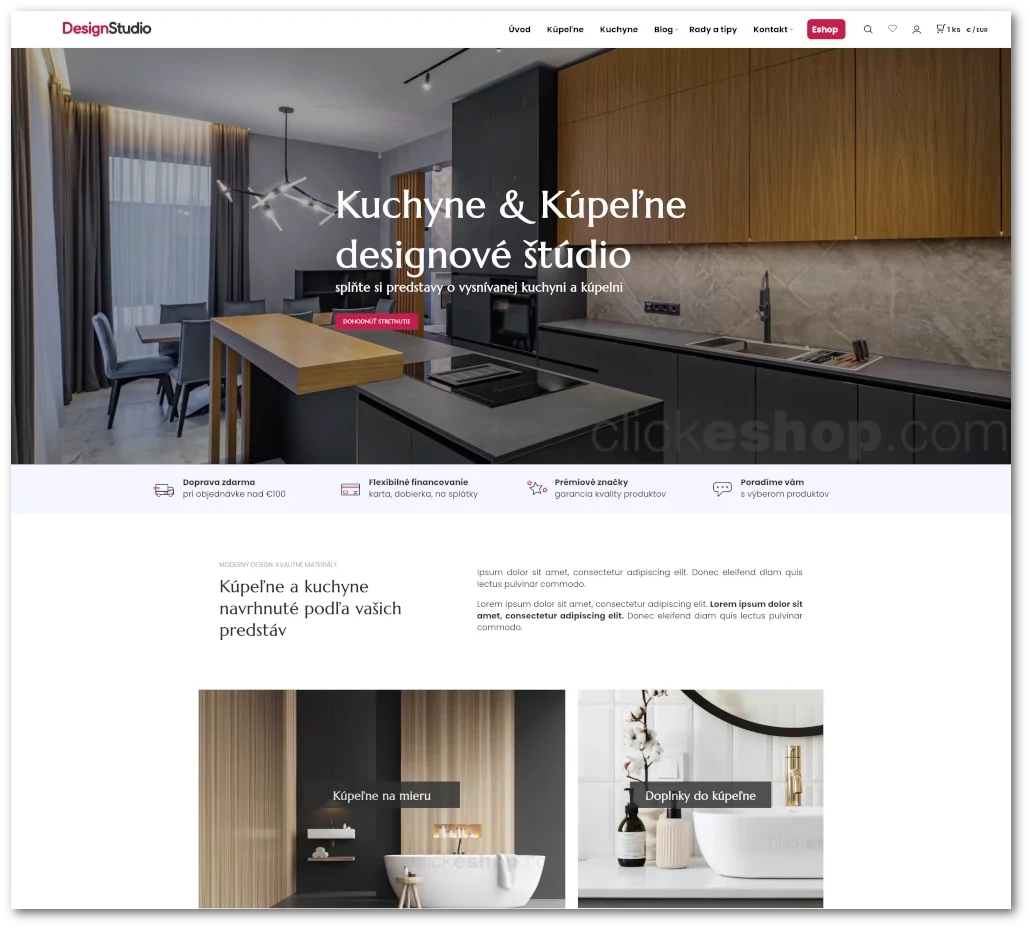
We've launched a new online store template that combines a website with an integrated online store.
The template is responsive = it automatically adapts to the device it's being viewed on.
Website with an online store
Products and shopping
Advanced search settings
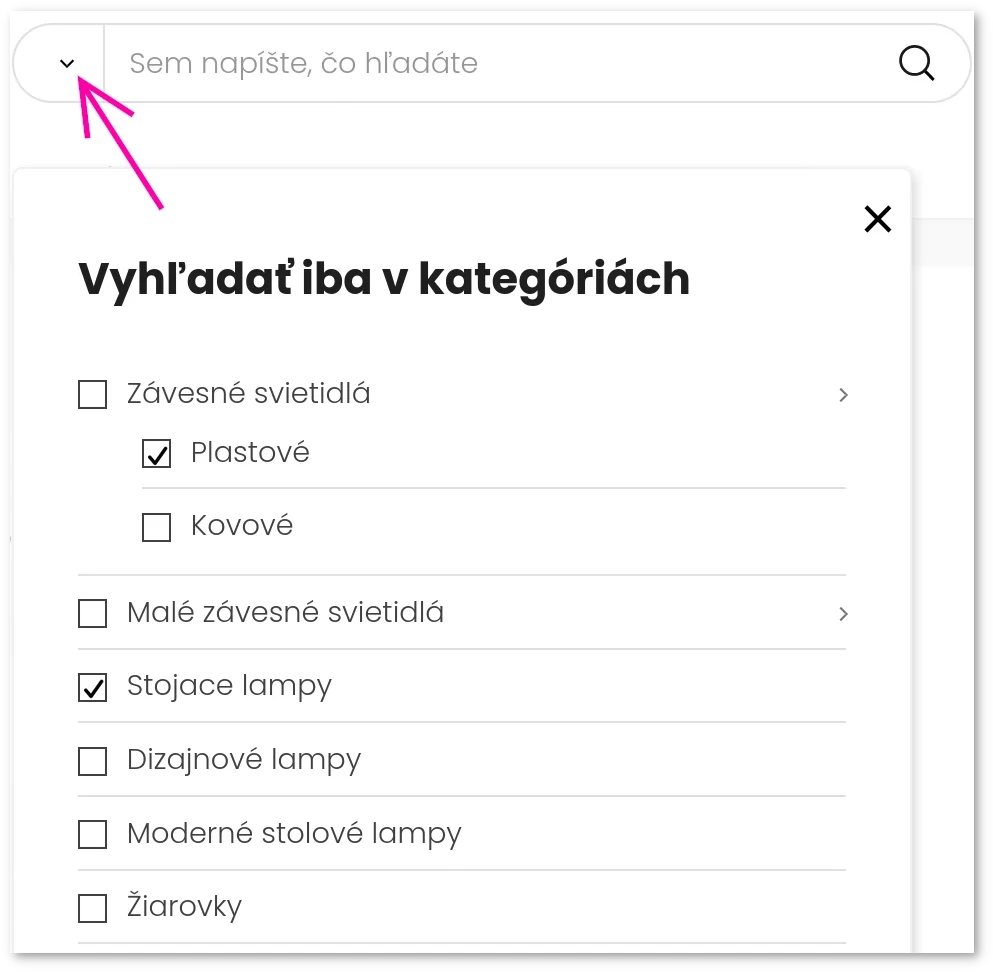
With the new filtered search you'll find the results you need in a few clicks.
In full-text search, both customers and the store administrator can choose specific areas to search, e.g. only certain categories, subcategories or menu links.
Examples: If a customer is only interested in a certain brand and type of product, they simply enter the search term and choose the search areas (e.g. they search for "lamp" in the plastic pendant lights and Floor lamps categories, or for "Nike" in the Hoodies subcategory, and so on.
Filtered search
Shipping
Balíkovo - pickup points from Slovak Parcel Service
Balíkovo is a modern, eco-friendly and inexpensive way to pick up a parcel at a location of your choice. You can enable Balíkovo pickup points in the ClickEshop admin today. Pickup points include:
self-service lockers available 24/7, where the customer has 48 hours to collect the parcel
retail locations: shops, gas stations or newsstands, where the customer has up to 7 days to collect the parcel
Security and legislation
Cookie consent mode updates from 06/03/2024
If a user from the EEA uses your website and you track their behavior with Google, Facebook or others, you must pass on to Google, for example, the user's choices that define the scope of consent. Consent mode lets you adjust how Google tags behave based on the visitor's interaction with the consent banner on your website. Choose from the list of Google-certified platforms to make sure you're using the latest version of consent mode.
If you use a Google-certified consent management platform, the platform provider automatically updates to the latest version of consent mode.If you use Google Tag Manager on your site, you can easily deploy e.g. "Cookiebot" by typing "Cookiebot" into the search field in Google Tag Manager and finding the Cookiebot CMP tag template. This way, you can easily click your way through Google Tag Manager to set up consent mode. You'll find more information about setting up consent mode in our Help, more information ...
Marketing and SEO
Extended XML for Google Shopping
Google Shopping lets online stores publish their products through Google. Product information, including images and prices, is shown in the search results. Customers searching for products online can click a product and are redirected to the online store, where they can buy it.
The XML file for Google Shopping now also includes products that are temporarily unavailable but will be back soon and that you accept orders for. Products will be shipped when they're available again.
You can enable the Google Shopping connection in the ClickEshop admin under Global settings - Shopping comparison sites - google.com
Products and shopping
New product filtering
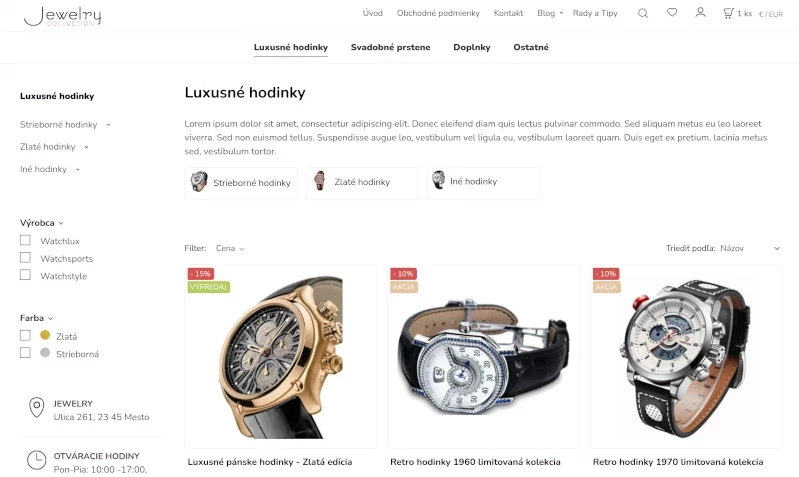
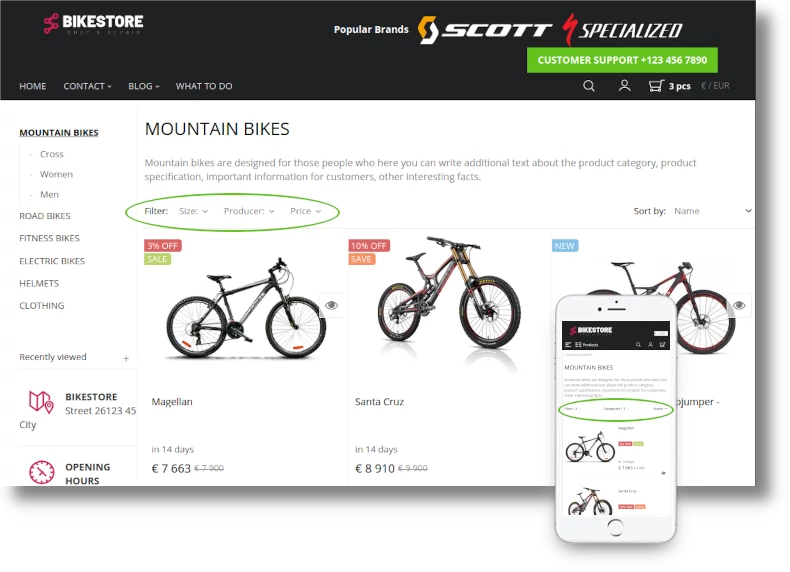
Discover a new way of displaying filters, with the option to add colors and images.
By setting up filters on a category in your online store, you let your visitors quickly find the product they want. The search takes all criteria into account (e.g. manufacturer, color, size, material, use, season and more).
For instructions on creating and adding filters, click MORE
Product filtering
2023
Products and shopping
New tabs on the product page
The product page should contain all the information a customer needs to decide to buy. If they don't find it, they'll most likely look elsewhere. So sellers should aim to show this information on the product page. Even if there's a lot of information, product tabs let you sort it clearly.
A new way of displaying product tabs on mobile takes the display to the next level. Even if you add a larger number of tabs, they're all neatly arranged. The customer has all the information without extra clicks or scrolling sideways.
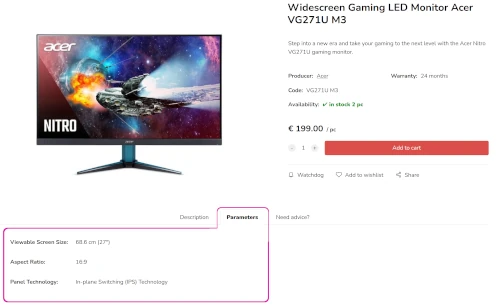
The advantage is that you can customize the tabs on each product individually. You can put information like this in the tabs: Size chart, Technical documentation and so on.
Payments and documents
Pay by Square - payment by QR code
When generating documents, you can add a QR code to the document /invoice, proforma invoice/. Your clients then just scan the QR code from the document using their bank's mobile app, and all the information needed to create the payment order is contained in the Pay by Square code.
What is Pay by Square? Pay by Square is the Slovak standard for payment QR codes. It's used for paying invoices correctly and makes payments easier by bank transfer, since it contains the variable symbol, amount and bank account number.
Security and legislation
Modern IPv6 network connection
Innovation and security come first. We've launched a modern IPv6 network connection. Implementing the IPv6 internet protocol increases communication security and makes sites faster. Thanks to IP security and the Authentication Header, data is protected all the way from the sender to the destination, keeping attackers away from websites.
A new admin for domain management
More options and a more modern responsive design. Domains can be easily managed on mobile devices too.
Strengthened domain server infrastructure
New, faster, more robust and more secure DNS servers. Custom domains running on ClickEshop are among the fastest, which also means websites load faster. Domain query responses are measured in milliseconds.
ClickEshop has a robust server infrastructure that helps display websites, online stores and emails faster.
Marketing and SEO
Even better SEO and mobile display
Advanced SEO settings SEO settings for online stores and websites have been updated to the latest standards and recommendations for 2023. Thanks to the new settings (e.g. Core Web Vitals), sites rank ahead of the competition in search engines. Managing your site is easier and more relaxed: keywords and the short description are generated automatically from the content, so you don't need to fill them in by hand. You can still fill in the short description manually for special marketing settings. Keywords are worth filling in to extend full-text search on your site (this way, search can also cover product name phrases or typos).
Optimizations for phones and tablets - improved mobile navigation when opening the menu (when the customer clicks the menu and browses content, it takes them to the currently open menu). Mobile display improvements bring new vector icons that look sharp even on the best screens and displays, faster, bolder fonts, larger product previews.
For more than 17 years, we've provided our customers with services built on the highest standards of security and availability. We run a system built to the latest web standards with the goal of continuously moving forward and ensuring the quality of our services. The system is automatically updated with interesting new features, and we regularly bring many improvements, formatting options and new, modernized components to online stores and websites.
Due to rising costs from our suppliers in both operations and investment, we've adjusted the pricing for some Eshop hosting services /current price list /. We'd like to stress that prices for Web hosting, Eshop hosting and Email hosting had not changed until now.
With Eshop hosting, you can get a 5% or 10% discount off list prices. The discount is applied automatically in the cart when you add an Eshop plan and choose a prepaid period of 6 or 12 months.
For some customers who have already paid for a 6-month or annual period, the price change will only take effect in 2024. If you don't agree with the current terms, simply don't pay the proforma invoice for the next period. The service will be suspended at the end of the prepaid period with no further obligations.
Products and shopping
Search with autocomplete
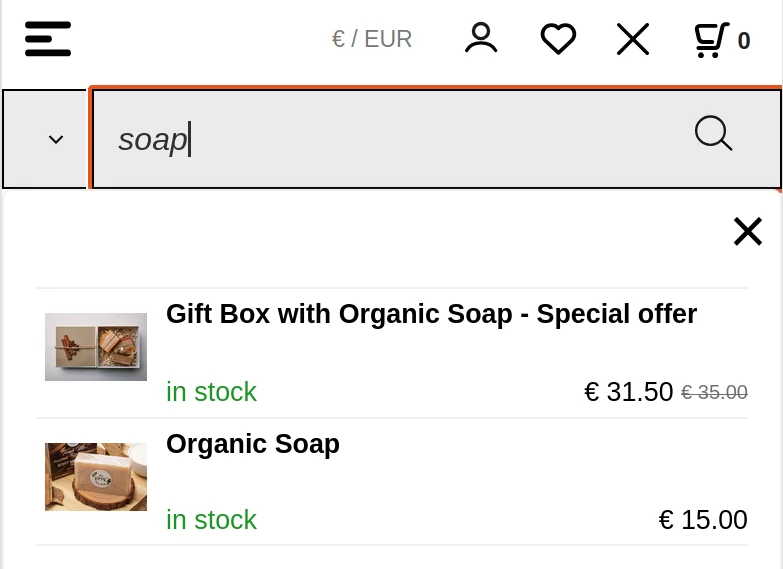
Autocomplete is a search feature that starts showing results after just 3 characters from across your entire store.
Site visitors can click one of the suggested results directly and see the product or page without typing the whole text.
The feature works on all types of devices, i.e. mobile devices as well as standard computers.
Autocomplete shows the product's image, name, price and availability plus search results in categories and text pages.
Search with autocomplete
Marketing and SEO
Favorite products
In the product listing and on every product page, you'll find a heart icon . Clicking it adds the product to your list of favorites. Favorites can be used by registered and unregistered customers alike, e.g. to save products for a later purchase or when they can't decide between several products.
For registered customers, favorites are saved straight to their account and available any time they sign in. For unregistered customers, favorites are saved in the browser on that device.
Marketing and SEO
Watch a product
Do customers want to know when a sold-out product will be back? By clicking the bell icon on the product page, they can turn on automatic email notifications.
The system emails the customer when the product is back in stock, the product is on sale or the price drops below a certain amount.
Marketing and SEO
Share a product
Every product in the online store has a share icon , that you and your customers can use to quickly share products, e.g. on social networks or by email.
If specific product options are selected on the product, the shared product also includes the selected attributes (color, size, ...)
Products and shopping
Extended full-text search results
Full-text search now also shows results in individual categories and text pages (menu links). After entering a search term, you'll see the categories that contain it, menu links and the products themselves.
This way, both customers and the store administrator can choose a specific search area - e.g. only a certain product category, find a blog article and so on. Search covers the content, the SEO short description and the title.
Shipping
Shipping by country, region and customer
Do shipping companies charge you different prices for different regions within Slovakia? Do you ship goods to other countries? Do you have a group of customers you offer shipping and payment to on better terms?
You can set different prices for each shipping method and link them to payment methods and customer groups. This is for when shipping costs differ between countries or regions, and also when shipping costs differ between customer groups. The customer just chooses the delivery area, and the system automatically offers only the shipping and payment types allowed for that area /country, zone../ that you set in the admin.
Examples:
You ship goods within Slovakia and also to the Czech Republic. Within Slovakia, shipping costs €5 and is free for orders over €50; to the Czech Republic, shipping costs €10 and is free for orders over €100. Within Slovakia, the customer can pay cash on delivery, in advance by bank transfer, by card or in person at the store. For the Czech Republic, cash on delivery and in-store payment aren't available.
You have zones you ship to, e.g.: SK, EU, USA, or zones within Slovakia, e.g.: Bratislava region, Banská Bystrica region, Žilina region, ...
You have a group of loyal customers you let pay by invoice with a certain due date
DEPO is a service that handles receiving, transporting and handing over parcels for online stores. Store customers can collect their parcel within 7 days and choose from 200+ pickup points across Slovakia. The customer is notified that the parcel has arrived at the pickup point by SMS and, on the last day for collection, also by phone.
You can enable the new shipping type under Global settings / Shipping / Depo - personal pickup at a chosen locationBusinesses with a branch or premises in the Czech Republic can also offer pickup points via Balíkovna of Czech Post.
Products and shopping
How to work with attributes and variants
The system has different types of attributes that can greatly extend the functionality of products or make it easier to process orders. Product attributes can be set on every product, and you can use their features in every Eshop plan.
We've put together a complete overview with detailed descriptions and instructions for adding them.
For a better overview, orders and invoices now have the option to be marked as paid. This means you can use order / invoice status labels on documents independently of payment.
The "Paid" label is now also linked to some payment modules e.g. CardPay, TrustCard, Comgate, eCARD VÚB, which mark the order as paid automatically and immediately after payment. This means that even employees without access to bank statements know about the payment and can prepare goods for dispatch sooner.
The document status is shown like this:
Unpaid order / invoice
Paid order / invoice
Design and content
New component - Category generator
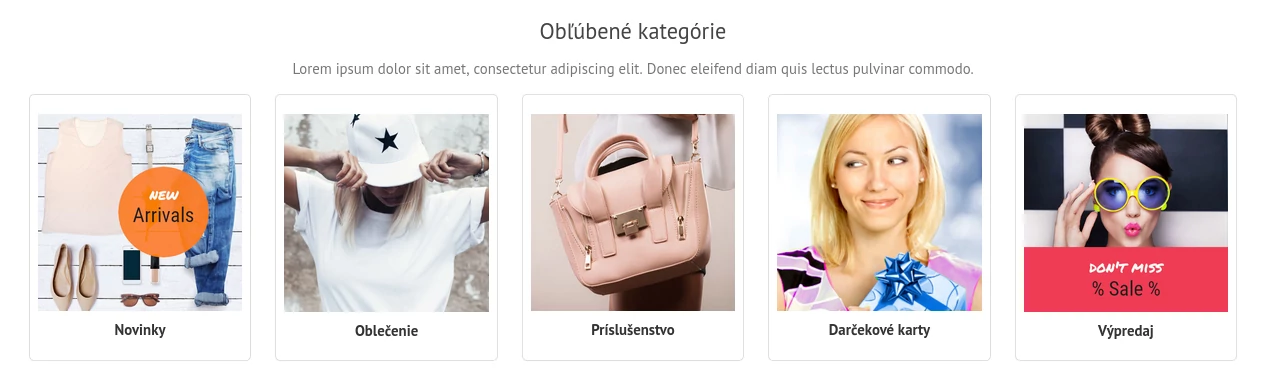
Wondering how to make your site more attractive or make it easier for customers to find their way when shopping in your online store? Use the new "Category generator" component to help. The category generator automatically creates image-based categories, where the image and category name link to a specific subcategory.
You can customize how it's displayed: e.g. add a larger image or format the category name (font size, color, weight, alignment).
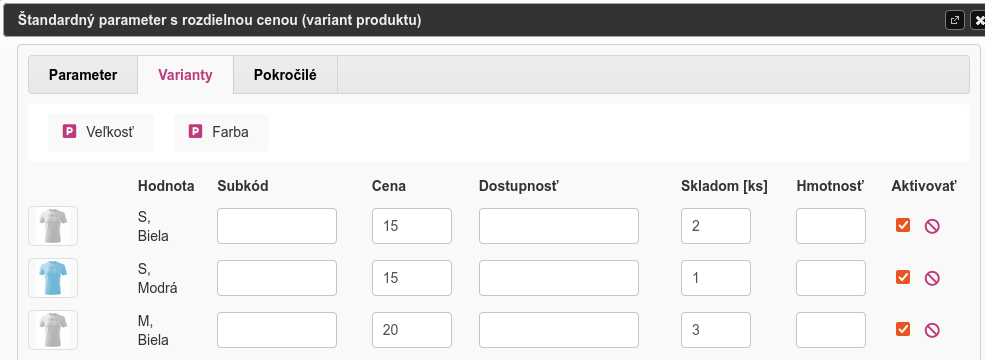
We've extended combined attributes with the option to assign an extra image, which replaces the main image when the variant is clicked. Combined variants can have their own: image, stock and price.
Example: a men's T-shirt is available in white, black and blue, in sizes S, M, L and XL. In size S the T-shirt costs €15, in the other sizes €20.
Some variants are sold out in certain combinations.
We added the Size and Color attributes as a standard attribute with a different price and then linked them together in the Variants tab. The system automatically generated all existing combinations. For each variant combination, just enter the price, stock quantity, product image and so on.
Combined variants
Payments and documents
Price rounding from 01/07/2022
To limit the circulation of 1 and 2 cent coins, purchase amounts will be rounded from 01/07/2022. Only the final amount of a purchase paid in cash will be rounded. Card payments are not rounded.
When it comes to issuing invoices from online stores, there's no significant change; the change only affects cash payments. According to information issued by the Financial Directorate of the Slovak Republic (13/DZPaU/2022/I), the procedure is as follows:
on the accounting record (invoice) issued for the supply, the supplier may state the required rounded amountif the supply is paid in cash
if a supplier does not state the required rounded cash amount on the invoiceand the customer pays for the supply in cash, this fact is not a reason to amend the issued invoice, it is recorded in the accounting document (cash receipt) for the cash payment received
The difference between the amount on the invoice and the rounded amount received in cash is a difference that is accounted for as rounding costs or rounding income.
If you want to avoid rounding differences in your accounting and your product range allows it, adjusting product prices can also be a solution.
Security and legislation
Domain expiry - fraudulent emails
Have you received a suspicious email saying your domain is about to expire? Don't respond to the email – delete it. Recently, fraudulent emails have been sent to owners of .sk domains with all registrars. This time they misuse the names of Tatra banka and Vnet. The .sk domain registry also reports this on its website https://sk-nic.sk/
Check your domain's expiry in the ClickEshop admin or contact customer support.
Security and legislation
Cookie bar with advanced settings - important change from 01/02/2022
Cookies are small files saved in a site visitor's web browser. We've prepared a guide for adding a cookie bar with advanced settings that lets customers decide whether they accept cookies, reject them or want to configure them in more detail.
We bring you a New Year's batch of new features designed for mobile devices and convenient online shopping. Discover the quick cart preview, the new look of filters, product categorization and more.
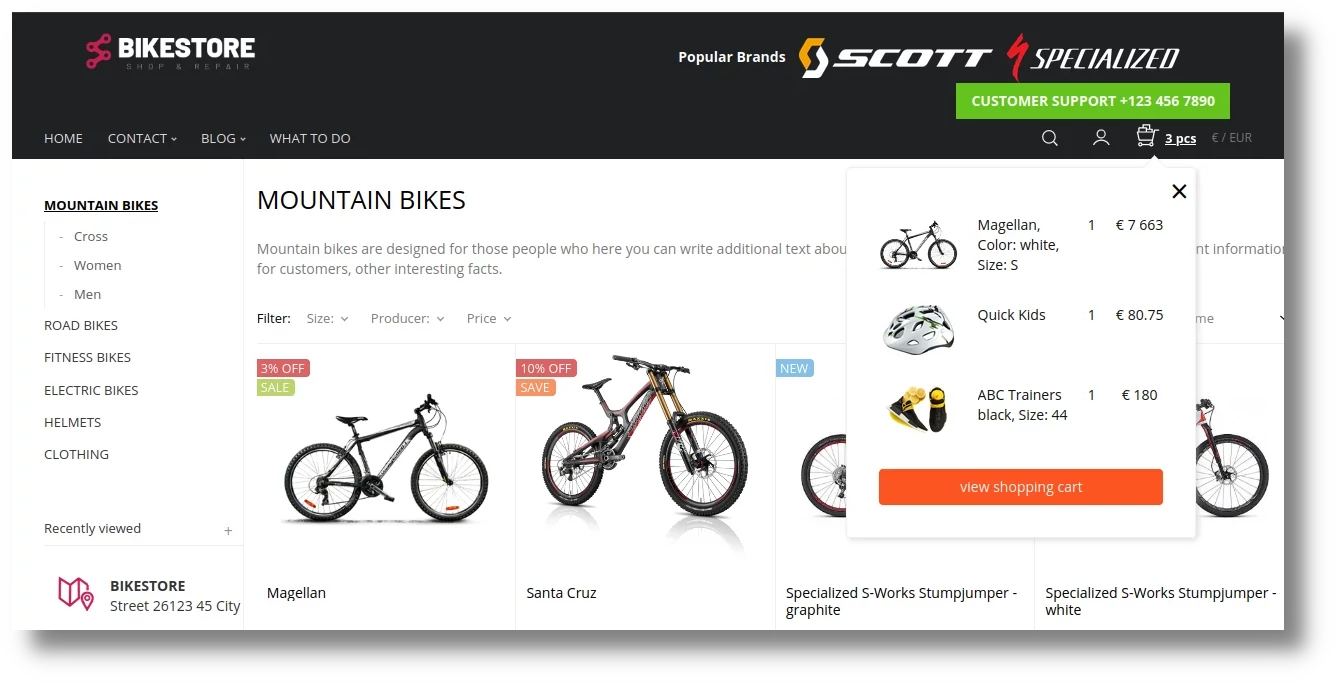
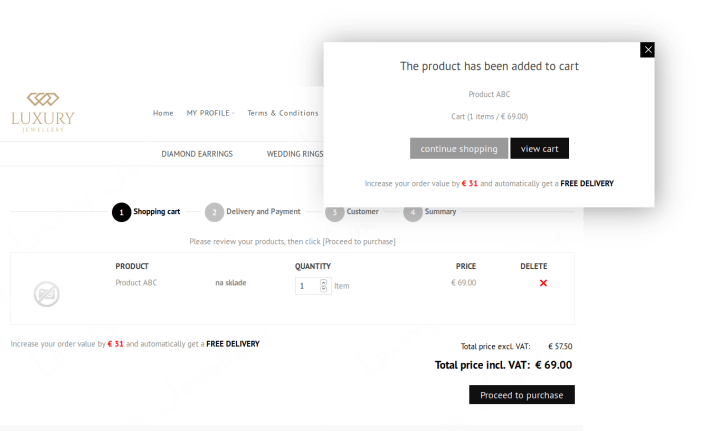
Quick cart preview
Did I add the product to my cart? Did I pick the right size? The cart icon gives a quick answer. Just hover over it and the added products automatically appear in a pop-up window.
The customer isn't redirected to the cart page but stays on the page they're viewing and can keep shopping.
Filter side bar
A new side bar for displaying filters draws the customer's attention to products while keeping the original filter features.
If you haven't used filters yet: filters let your visitors quickly find the product they want.
Fast shopping can also have a big impact on conversions. The simpler the shopping process, the higher the share of visitors who place an order.
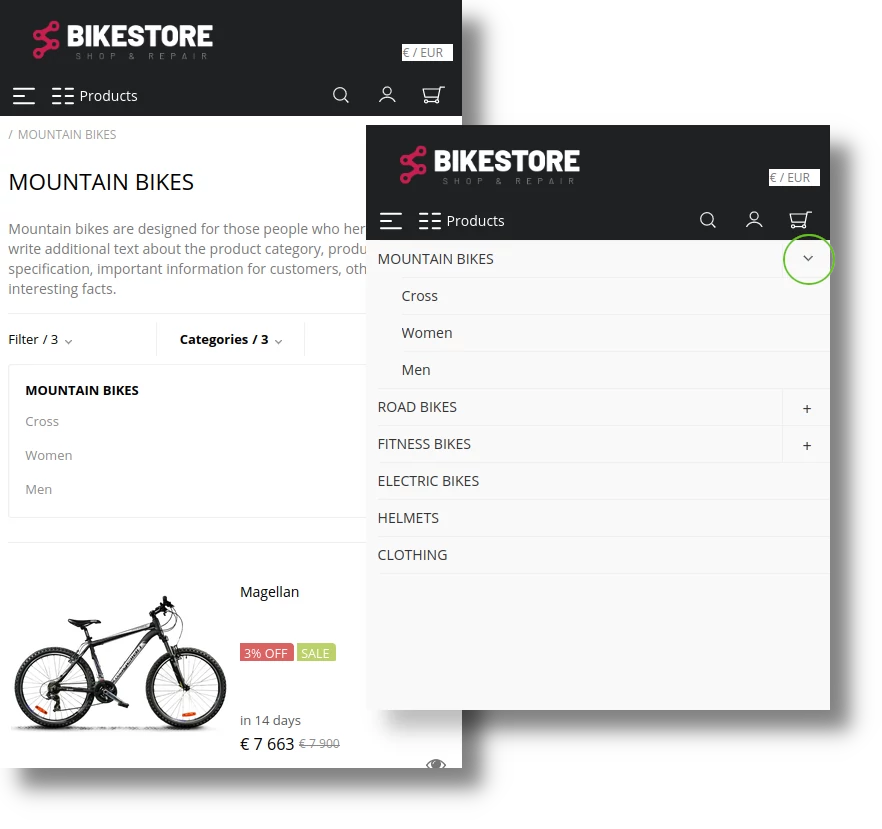
On mobile, customers can browse product categories in 2 ways:
1. Expanding the category tree - clicking the "plus" icon to the right of the category name shows the subcategories
2. Showing products - clicking the category name shows the products. If the customer then wants to see only products from a certain subcategory, they just choose the subcategory they want in the "Categories" section of the side bar.
Quick customer sign-in
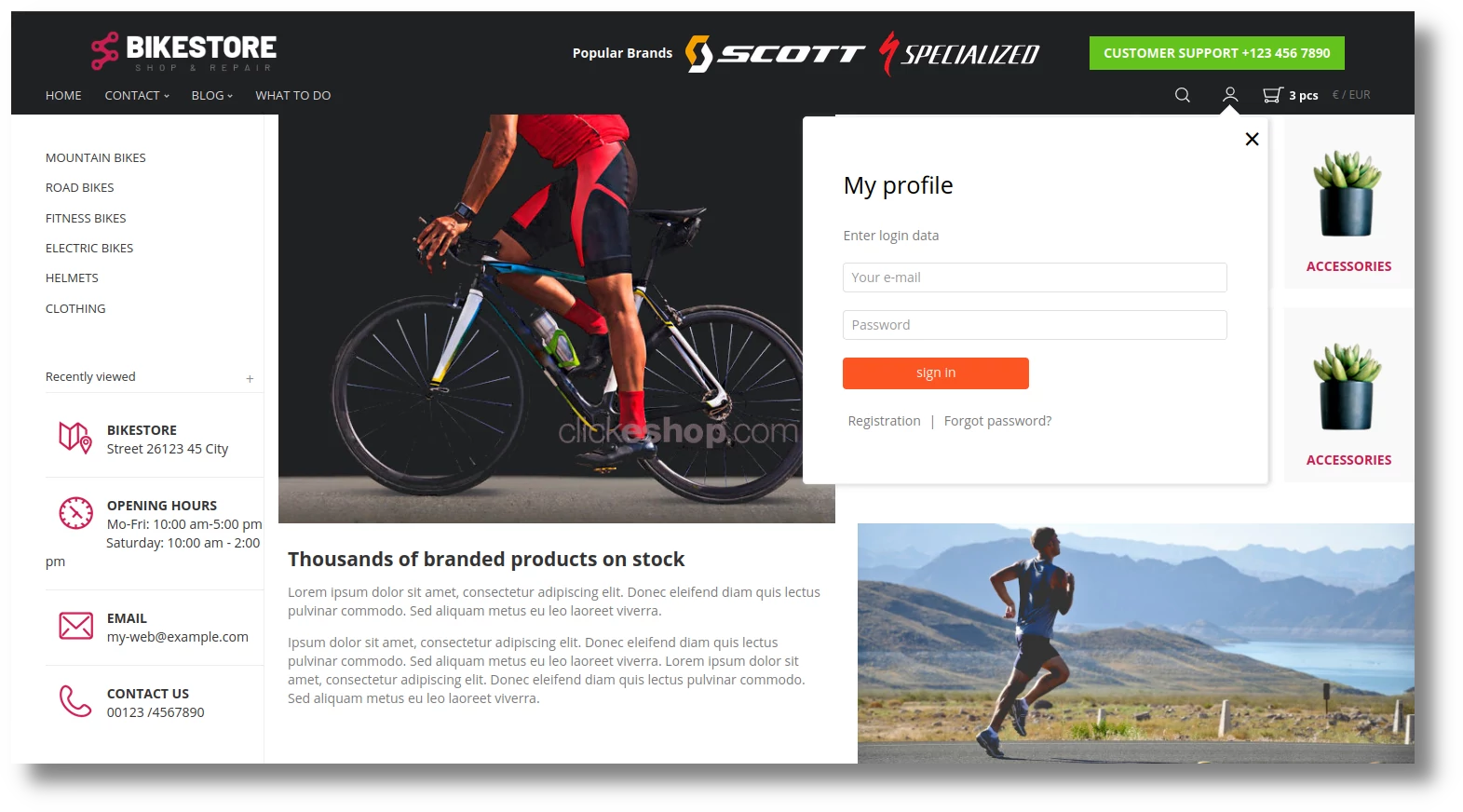
Clicking the person icon opens a pop-up window for quick customer sign-in.
If the visitor is browsing interesting products, after signing in they stay on the same page and can continue shopping.
Quick cart previewFilter side barMobile display of product categoriesQuick sign-in
Design and content
Optimization for Windows and macOS
We've optimized online stores and websites for the latest Windows 11 and macOS 14. Technology keeps moving forward, so we keep up with the latest trends and constantly modernize the platform.
Security and legislation
Improved security against bots
We've improved online store security against bots, which can't perform actions on the site without entering the correct security code.
Products and shopping
Info text in the cart
Need to alert customers to something important during checkout?
This is made possible by a new editable field in the shopping cart, where you can add your own content: images, texts, background color, ...
How do you format the field? In the ClickEshop admin just add a product to the cart and then open the shopping cart. For formatting, you can also use the content editing components.
Info text in the cart
Shipping
Slovak Post BalíkoBOX
Collect parcels without waiting and regardless of opening hours. Delivering parcels to Slovak Post BalíkoBOXes is an efficient solution for customers who prefer to collect their parcel at a chosen location with no time limits.
You can enable BalíkoBOX in the ClickEshop admin in a few clicks
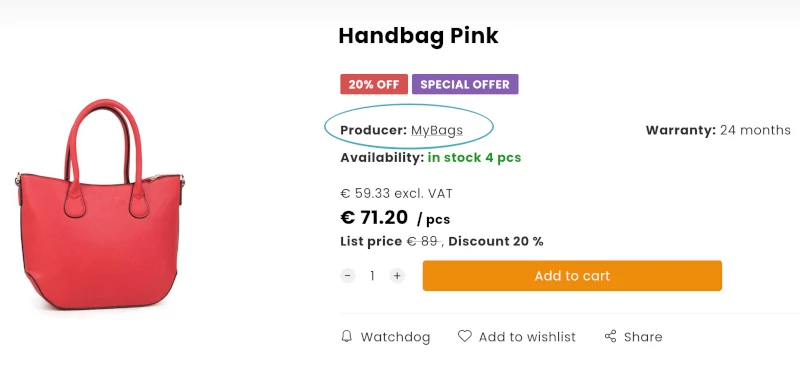
Do your customers prefer certain brands or manufacturers? Now they can see all products from a manufacturer at once, without you having to set anything up in your store.
On the product page, clicking the Manufacturer field automatically shows customers all products from that manufacturer.
Our tip: As a store administrator, you can take this feature further, e.g. by adding logos to your site that link to filtered products from each manufacturer.
Filtering by manufacturer
Products and shopping
Multiple labels on a product
Creating your own product labels is very popular, so we've extended the feature further and you can now add multiple labels to a product.
Of course, you can set the following on additional labels too: your own text, background color and text color.Our tip: You can use symbols in the text too :)
Product labels
Products and shopping
Stock system for branches
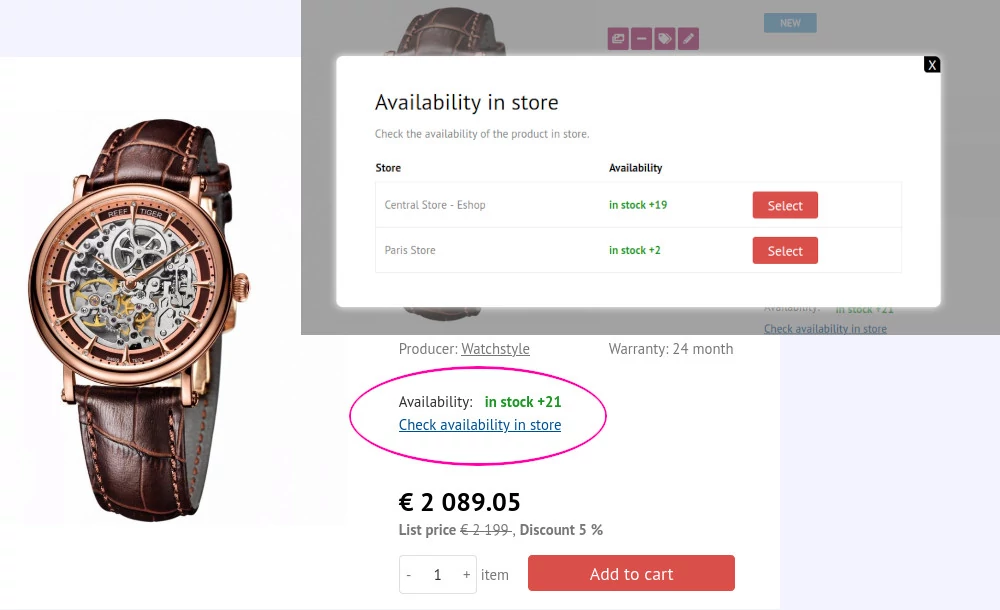
Do you have stock at several branches? You can track their stock availability in your online store too.
When a specific branch is selected on the product page, it shows the stock availability of products at that branch.
Add another warehouse in the ClickEshop admin under Global settings - Warehouse.
Examples:
Example 1: Warehouse: Aupark Bratislava, Atrium Žilina, OD Urban Košice
Example 2: Warehouse: Aupark Bratislava, Online store - central warehouse
Stock system
Products and shopping
New product attributes
Use the system to the full and discover new product attribute settings:
VARIANT PRODUCT - combines the benefits of showing attributes on the product with linking separate products. Because each variant is a separate product:
information about each variant is exported as a separate product (e.g. for Heureka)
in the shopping cart, the product is shown in the selected option
information about stock availability of the product is shown taking the variant's different attributes into account
COMBINED ATTRIBUTE - standard product attributes can be linked to each other to create combinations of values between attributes.
Example: A men's T-shirt is sold in white, blue and black, in sizes S, M, L, XL and 2XL. The attribute information can be linked so you can show the stock quantity for each option, e.g. size M in blue.
INFORMATION TEXT LINKED TO A FORMULA - the "Information text" attribute can now also be linked to formulas
RESTRICTING ATTRIBUTE ON METRIC ATTRIBUTES - control whether an item can be added to the cart based on values entered via a formula, which lets you show the customer a restricting text message
Products and shopping
Product status - hidden
If you use a variant product and want the product listing to show only one option of the product, you can set the other products as hidden. A hidden product isn't shown in the product listing, but its information is still exported e.g. to shopping comparison sites.
Design and content
New CMS platform
The brand new ClickEshop CMS and web platform significantly increases page loading speed, brings new SEO settings and automatically fills in SEO descriptions for products and categories (if they're empty). Even fast can get faster. We know website visitors expect pages to load instantly. Even faster web hosting together with new SEO settings will bring your site closer to potential customers again.
Mobile devices are increasingly used to manage online stores and websites. A number of optimizations for mobile devices together with vector icons for crisp rendering make your work more efficient and enjoyable. Track and process orders, issue invoices, edit products and other settings of your online store or website right on your mobile device.
Marketing and SEO
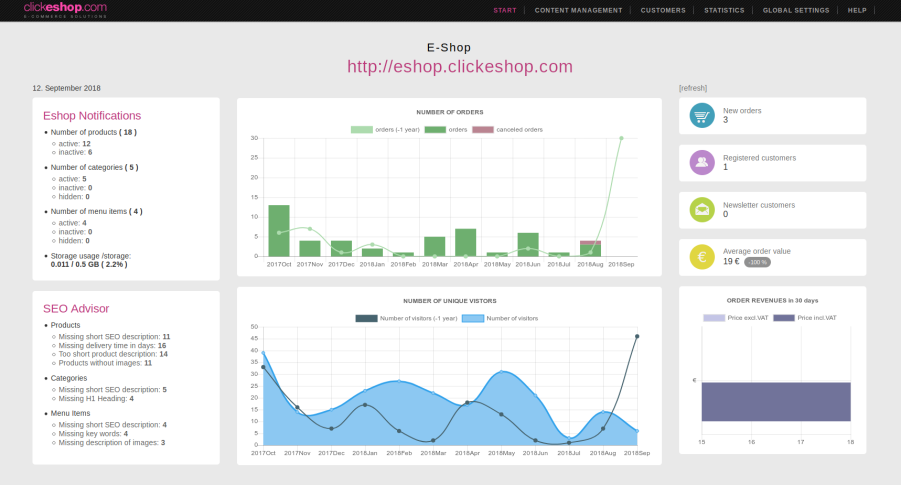
More detailed statistics - a quick overview of store performance
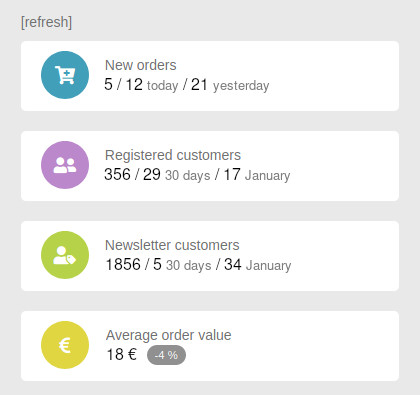
Want to know your number of orders yesterday and today or how many new orders still need processing?
You'll find the answers to these questions, plus information about registered customers in your online store for the last 30 days, a given month and in total right after signing in to the ClickEshop admin by clicking a figure in the table.
More detailed statistics
2020
Payments and documents
Google Pay - direct integration for card payments
Google Pay is a fast, easy way to pay. Your customers can pay for their order without looking for their card or typing in card details. Because there are no errors from retyping card details, the share of successful transactions goes up. The service is operated by Google.
Google Pay in the ClickEshop system for card payments
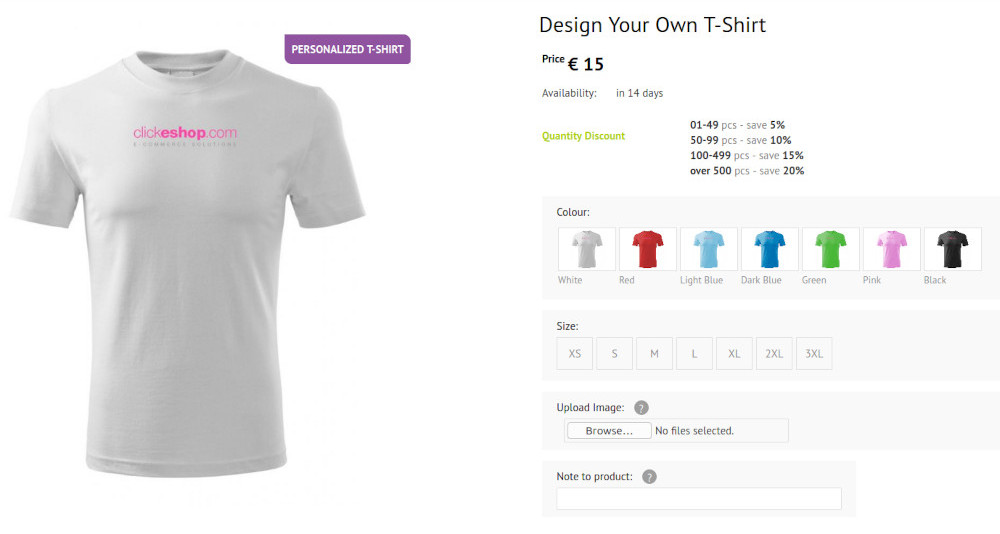
Do you sell promotional items that can be custom printed or or custom-made products to customer specifications?
With the new "Product attachment" attribute, your customers can order a personalized product in a few clicks.
They just upload the image they want on the product page. The uploaded image is shown in the order detail, below the product. This way, you can attach different images to different products.
When producing personalized items with a single print type or for custom-made products your customers can upload the image they want in the order summary.
You can enable this feature at any time in the ClickEshop admin under Project settings by ticking "Show option to upload an attachment (file) to the order".
Customers who use the ClickEshop Email hosting service communicate credibly with their customers using digitally signed email.
The server automatically signs every sent email with the domain's private key and stores the signature in the email header.
Signed emails ensure reliable email delivery and increase the trustworthiness of the emails you send.
Electronic email signing
Products and shopping
More detailed user permissions - B2B dealer
The new user type /B2B dealer/ is the ideal solution for company representatives.
A B2B dealer has access to the modules the administrator grants them, and can have access to information only about their own customers and their documents. The dealer just sets a registration code for their customer. A customer signed in this way creates an order that's automatically assigned to the right dealer.
The system lets the B2B dealer view and edit their customer list, create orders on behalf of their clients, process and edit their orders and send quotes.
Advanced user permission settings
Products and shopping
Smart shopping cart - extension
Customer not signed in
If a customer adds products to the cart and doesn't complete the purchase, they'll reliably find them in the cart when they reopen the browser on that computer, for up to 30 days. The system also checks the product's current stock and prices.
Signed-in customer - new
If a customer adds products to the cart while signed in, they can keep editing the order on other devices too (computer, phone, ...) and order the products while they're available (there's no limit on how long products stay in the cart).
Do your customers know about the other benefits of registering? Registered customers who regularly buy similar goods can save time by duplicating a past order.
Site administrator - new
Need to help a customer with their order? Add products to the customer's cart via their profile, where they'll find them after signing in.
Marketing and SEO
New SEO improvements
we keep working on SEO settings that help your pages get better positions in search engines.
For every product, you can set: Short product description (SEO meta-tag description) and Product keywords (SEO meta-tag keywords). For customers whose stores are connected to suppliers or who have tens of thousands of products, filling in an SEO description for every product is often impossible.
The system makes this easier and automatically pulls the information from the product description into the product's SEO description, even if the text is formatted (the system takes the first marketing sentences from the detailed product description).
For important products, however, we recommend giving the SEO description more attention and setting it manually. If you set (or have already set) the SEO description manually, those texts won't be overwritten by the system.
Products and shopping
Faster product preview
One-click access to products without opening more pages. That's what the faster product preview is about, and your customers will love it, especially on mobile.
Hovering over a product and clicking the "Eye" icon shows the product detail in a pop-up window, where the product can also be added to the cart.
When the pop-up closes, the customer stays on the page, which makes it easier to find their way and speeds up shopping.
Marketing and SEO
Boost sales with related products
One of the simplest ways to increase order value is to offer customers complementary products.
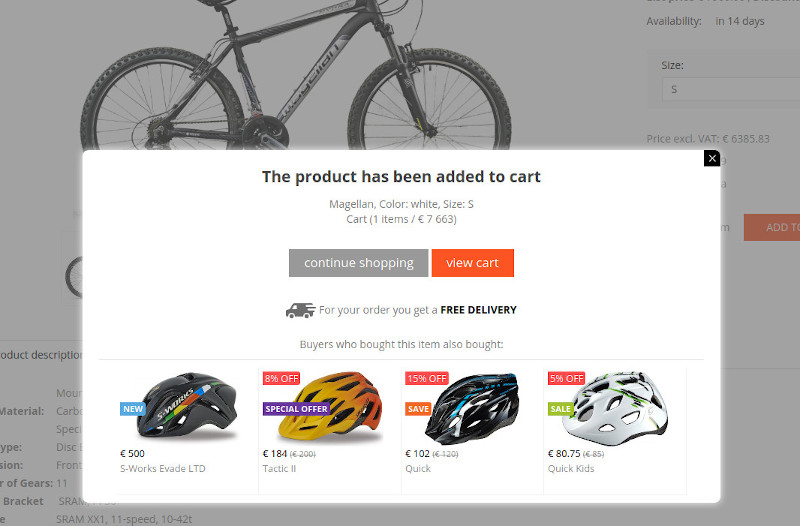
After adding a product to the cart, the customer now also sees accessories in a pop-up window, which they can add to the cart in one click.
Product accessories
Products and shopping
Product listing with more images
The product listing in your online store brings another way to quickly give customers information about a product.
When a customer hovers over a product, the image changes to the second image added to the product. This way they can view another image of every product in the category without extra clicks. When the mouse moves off the product, the alternative image switches back to the original.
Products and shopping
Search and keywords
Some customers tend to use different words than the product name when searching. What can you do about it?
Full-text search now also covers product keywords (SEO meta-tag keywords), where you can enter the words your customers use.
Marketing and SEO
New optional attribute - Related product
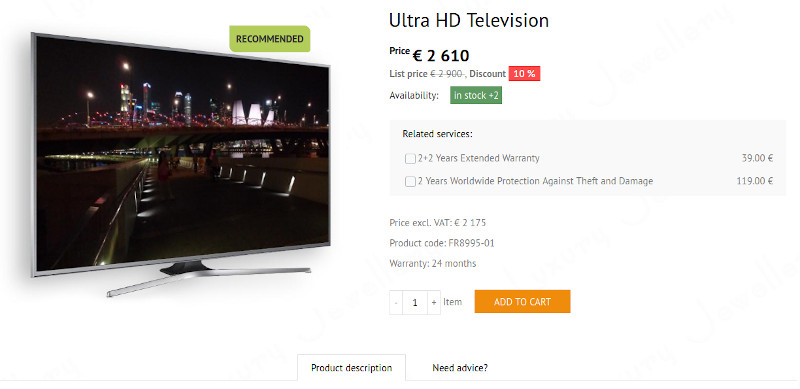
Do you offer additional related products or services for some products?
A new attribute display type has been created for this. It's optional, which means the customer can order it together with the product, or not.
Example: extended warranty, product insurance
Related product, related services
Design and content
Editing your page with components
The video guide shows you how to design your page quickly and easily using ClickEshop components.
If you know the right tools, your page will look professional and still be simple to put together.
Your browser does not support the video tag. Please upgrade your internet browser to the newest version
Products and shopping
Smart product filtering
Conditional filtering gives online store visitors easy shopping without lengthy searching.
By setting up filters on a category in your online store, you let your visitors quickly find the product they want. The search takes all criteria into account (e.g. manufacturer, color, size, material, use, season and more).
When shopping, customers just choose the value they want in each filter. The system automatically takes the selected filter value into account and for the next choice offers only values that match the conditions. Filter values that don't match the conditions are shown in a lighter color and can't be selected.
Fast shopping can also have a big impact on conversions. The simpler the shopping process, the higher the share of visitors who place an order.
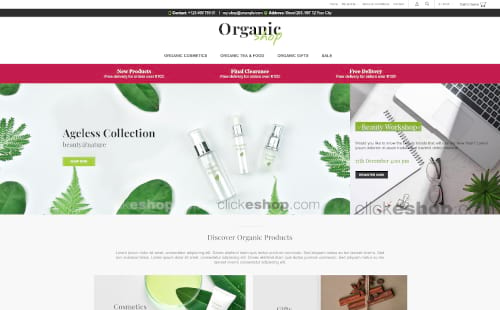
Meet the new widescreen online store template, packed with modern elements. The template is ideal for those who combine online sales with a presentation and publishing interesting product information (website with an online store). Search engines love well-written, interesting texts – and so do your customers. To make your work easier, you can use the sample formatting of texts, articles and images.
Give your online store your own style and change the background colors of the bands, header and footer to your brand colors.
New online store template
Products and shopping
Stock availability information
Do you use the automatic stock system but don't want to show customers the exact number of items in stock?
In the project settings, just tick When using the stock system, don't show the exact number of products in stock and enter a text message that customers will see when the item is in stock and when it isn't.
Products and shopping
Bulk product editing - extension
With bulk editing, you can quickly check and update product information. The export/import information has been extended, letting you update almost all product information.
In the product attribute settings, you can choose different ways to display attributes: dropdown list, table, image gallery and now also buttons.
Our tip: You can combine attribute display types within a single product to create an interesting product look.
New product attribute type - buttons
2019
Products and shopping
Bulk product deletion
Need to delete several products that aren't in the same category? Use the new bulk product deletion feature – it's ideal, for example, when you're removing products from one manufacturer only.
A quick overview of the number of documents for each day. For quick visual orientation, documents (Orders, Invoices, ...) now have a colored bar on the left that groups documents by issue date.
Documents issued on the same day are marked with the same color.
Design and content
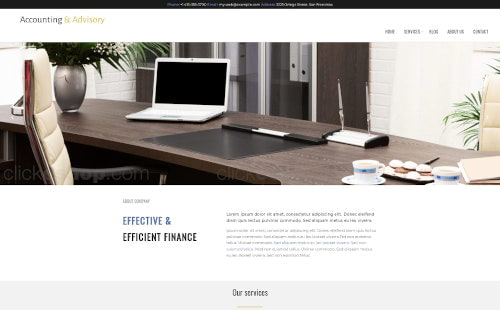
Website - Personal consulting
We've launched a new, modern template for personal consulting and accounting, with a timeless design.
The template is easy to edit and simple to adapt to your corporate identity. Publish information online and keep your website up to date without any programming knowledge.
Website for personal consulting
Design and content
Changing column color and background
The column component now has an "Edit column" option that makes it easy to set content padding and add a background image or color to a column. It's great for creating image-based categories in your online store or for the page content itself.
Heading 1
Sed aliquam metus eu leo laoreet viverra. Sed non euismod tellus. Med non euismod tellus. Ted non euismod tellus. Ulvinar commodo.
Heading 2
Sed aliquam metus eu leo laoreet viverra. Sed non euismod tellus. Med non euismod tellus. Ted non euismod tellus. Ulvinar commodo.
Heading 3
Sed aliquam metus eu leo laoreet viverra. Sed non euismod tellus. Med non euismod tellus. Ted non euismod tellus. Ulvinar commodo.
Products and shopping
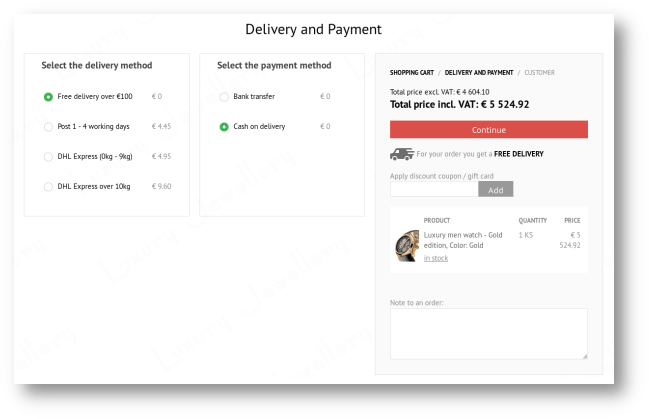
New smart shopping cart
The new, modern shopping cart with fewer steps means easy shopping in fewer clicks.
Thanks to the clear layout, your customers can easily add a discount code, choose a gift or write a note to their order. Adding a gift to the cart is even more intuitive for the customer.
Order summary information is shown at every step of the cart.
If a customer adds products to the cart and doesn't complete the purchase right away (postponing it for later), they'll reliably find the products in the cart when they reopen the browser, for up to 30 days. The system also checks the product's current stock and prices.
The responsive design of the new cart makes the site easy to use on mobile devices too.
Shopping cart
Design and content
Widescreen online store templates
We've modernized ClickEshop online store templates for widescreen 4K devices and further optimized the display on phones and tablets. With new, modern components, we've further increased page loading speed. Clicking around the site is now faster, even for customers with a slower internet connection.
Place images or texts however you like: edge to edge or just in the center. It's up to you.. Full-width banners can also be used in templates with product categories on the left, by turning off the category info panel.
If you want to show content only within a certain width, just add a panel or columns and set the width you want. You'll find an overview of all the components that help you create unique page content listed HERE.
New elements have been added to the templates: header, footer, tabs and a price ruler, so your customers see your site even faster.
Products and shopping
Minimum product order
Do you sell in larger quantities to B2B customers or or products where selling a small number of items isn't profitable? Set a minimum order quantity right on the product page.
The product page shows the unit price, and the system automatically pre-fills the minimum quantity for adding to the cart. The customer can increase the quantity, but not decrease it.
This setting complements the other order limits, such as the minimum order value or the minimum order value for free shipping.
Products and shopping
Color highlighting for products in stock
Products in stock will no longer go unnoticed by your customers.
In the product listing and on the product page, the stock quantity is highlighted in color to emphasize this competitive advantage. Color highlighting requires the full stock system to be used on products.
Products and shopping
Product variant prices
Product variant prices can now be entered not only as a surcharge on the base price but also as the final prices of specific variants.
In the product settings, just tick "Don't add base price to attributes".
Design and content
Detailed photo gallery preview
Customers viewing your site on a computer or mobile device can zoom in further on the enlarged image preview to get a detailed view of the product / image.
Combined with quality images, this handy feature can greatly support customers' decisions, whether they're choosing a service provider or buying products.
For a detailed view, just double-click the image or, on mobile devices, zoom in with two fingers. You can then move the zoomed image sideways or up and down.
Image zoom works for product images as well as the photo gallery on the page.
Detailed product preview
Marketing and SEO
Price and stock in Google search
Attract potential customers right from the search results. Google and other search engines show a few lines of additional information related to the search in their results.
If you've filled in the product price and stock quantity, the system automatically sends them to be displayed in search engine results. Price and stock availability are important information that customers base their buying decisions on – and whether they click the link and visit your site.
Design and content
HTML language (country) code
Expanding your business to other countries? Set up your online store or website correctly for the local market. In the ClickEshop admin, under Global settings / Project settings, choose the correct HTML language code.
Besides setting the language code, ClickEshop lets you translate your site into any language and set your own payment and shipping types, so you can adapt perfectly to the local market.
Design and content
Content editing components
Content editing components help you create (design) unique page content in a few clicks.
They make it easy to add an image slider, set the page width, change the background color, split the page into several sections, create a photo gallery, add a Google map, an image with text or a button with a link, and many other useful features.
Discover how to use them when creating page content and get inspired by real-life examples.
Adding more variants to your current products? Do your products have new attributes? You can change the order of existing and newly added attributes any way you like.
In the settings of the attribute, just enter the number of the position where you want it shown.
Design and content
Adding and editing columns
Responsive columns automatically adapt to the width of the device they're shown on. The new feature lets you change the number of existing columns (increase/decrease), automatically recalculating the width of all columns.
When you add a column, the system adds a new column on the right and, to make your work easier, copies the content and formatting of the original column.
Design and content
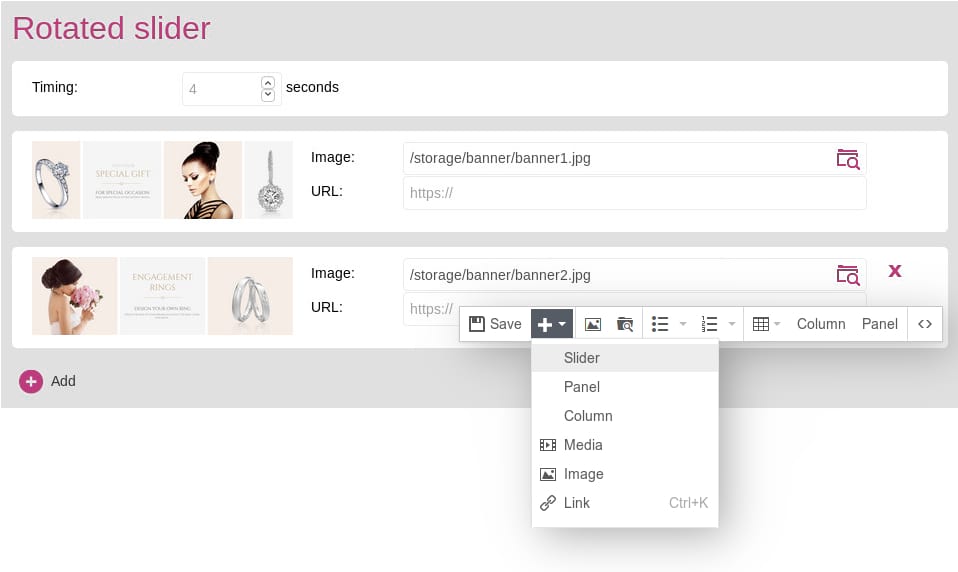
Adding and editing a slider
Rotating images on the home page are now very easy to edit. Just click an image in the slider and choose "Edit" in the toolbar. Right in the slider settings, you can: change, add and delete slider images, and set links and and the time between image changes.
You can also add a slider anywhere on the page by clicking the "plus" icon in the toolbar - Slider.
Adding and editing a slider
2018
Products and shopping
Custom product sorting
Do you have interesting products you want to show right at the top of the page? Set up your own product sorting.
By default, products in the online store are sorted by product name. For each category of your online store, however, you can set the sorting of products the way you need for that category: by name, price or your recommendation.
We're always looking for ways to make working with the system even easier.
That's why, when you hover over a product in the product listing, you'll now see two new icons: one for quickly editing product settings and the other for quickly setting stock availability.
Payments and documents
New document type - complaints
We're glad about the positive feedback on the new invoicing system. We've extended this module with a new document type - Complaints. Like other documents, a complaint can be created quickly in a few clicks from another document whether an order or an invoice.
Set up predefined emails for them under Global settings - Edit texts - Lists - Document statuses
Shipping
Showing free shipping information
Do you offer free shipping above a certain order value? Boost sales and increase order value with this competitive advantage.
When a product is added to the cart, the customer sees how much more they need to spend to get free shipping.
You can turn on free shipping information under Global settings - Project settings.
In wholesale, the price excluding VAT matters most to customers.
In your online store settings, you can now choose how product prices are displayed: primarily show the Price excl. VAT or Price incl. VAT.
You can switch this setting on at any time, so your online store is ready to grow with you.
Security and legislation
Selling products in the EU to VAT payers
Do you sell abroad and are some of your customers VAT payers? The system automatically issues the order without VATif the customer ticks "I am a VAT payer" in their billing details.
To enable sales without VAT, tick "Zero VAT for foreign companies (VAT payers)" in your online store settings.
Marketing and SEO
How to exclude a product from catalogs
Do you also provide separate services for products, such as servicing or installation? Do you also offer used products? Shopping comparison sites don't normally accept such items.
So what do you do with them? ClickEshop helps in these cases too. Products can be included in your online store's offer and excluded from the export to shopping comparison sites at the same time.
To exclude a product from the export to shopping comparison sites, just tick "Exclude from catalogs (XML feeds)" in the product settings.
Products and shopping
Quickly adding a product to several categories
Working with the system is even easier: new products can be assigned to several categories at once by ticking all the categories the product belongs to.
Payments and documents
Document overview in Excel
Exports for all document types now also support .xls format (Excel).
You can then use these overviews for further statistical processing for various purposes.
Marketing and SEO
A complete overview of store performance
Get a management view of your online store's performance for the latest period, compared with previous ones, right after signing in to the ClickEshop admin.
Clear reports and statistics are a great help not only for steering your business in the right direction, but also for spotting weak points you hadn't noticed or simply forgot about.
Your business is under control and you can easily take your store to the next level.
Complete overview of online store settings
Payments and documents
Order email with more detailed information
After placing an order, the customer automatically receives an email from the system with the .pdf order attached.
So that important information, such as the chosen shipping or payment method and the total order amount is always at hand, this information has also been added to the body of the email.
Shipping
Order export for Czech Post
Do you sell products in the Czech Republic and ship them via Czech Post? Make your work easier. Order information can be exported straight from the admin and then imported into the Czech Post system without retyping.
How does it work? Just tick the orders you want under CUSTOMERS / Orders / Carrier export / Czech Post (ePA) and choose whether the goods will be sent cash on delivery or not.
Czech Post integration
Payments and documents
Custom PDF document templates
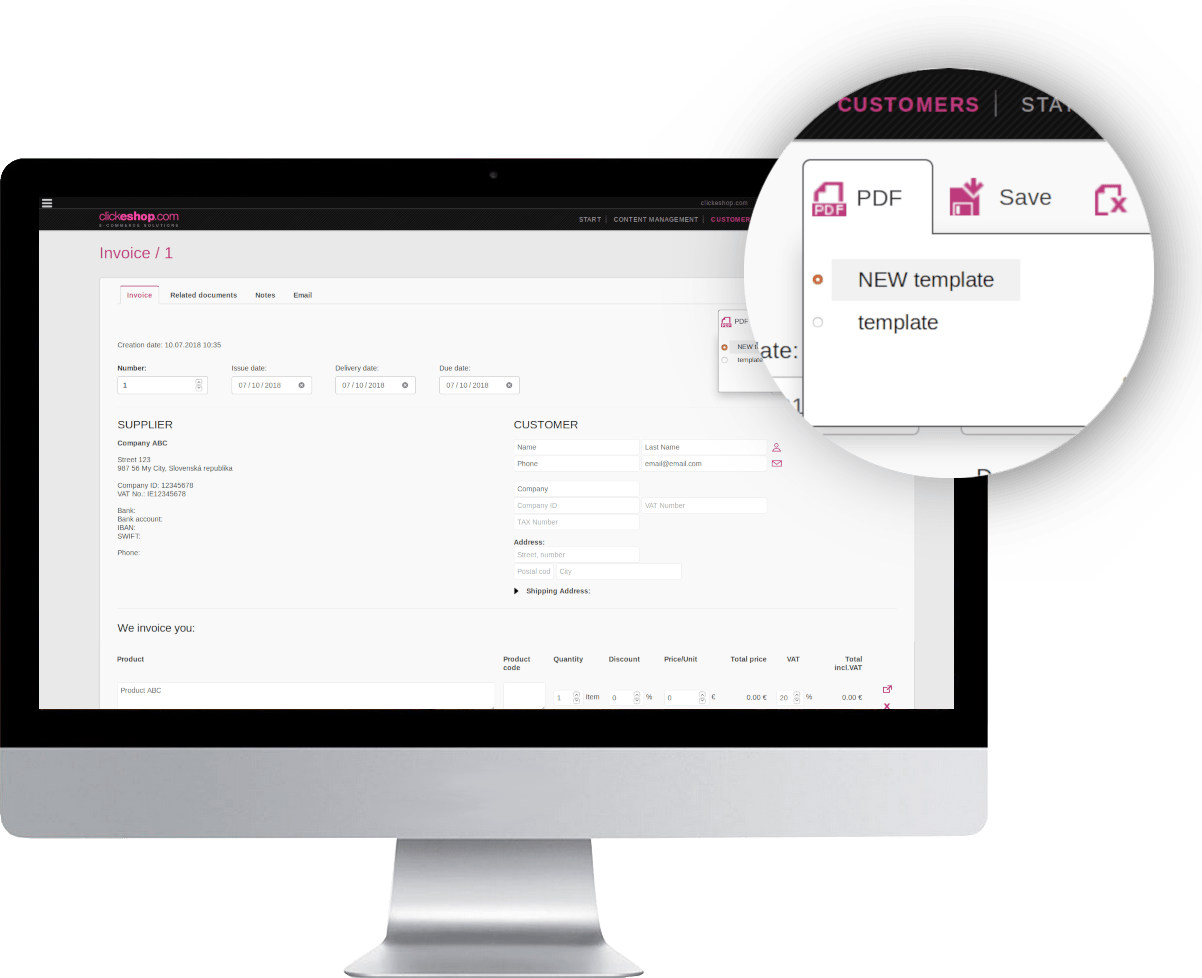
Do you issue different types of documents that you need to tell apart? Every document now lets you create additional PDF document templates, which can be rewritten or translated into another language.
This way, you can create several templates, e.g. quotes or invoices in different languages, or, when shipping abroad, an invoice template for VAT-payer customers and one for non-VAT-payer customers.
For printing PDF documents, the system uses the template marked with a "dot".
Download a PDF document by clicking the PDF icon and the template you want. You can bulk download PDF documents in the document overview.
Custom document templates
Design and content
News for you over the summer too
Documents in different currencies - If you need to manually issue a document in another currency, just choose from the list of currencies set for your online store. Change the currency with the currency icon , which you'll find in each document's detail below the document items.
Search in attributes - full-text search in online stores now also covers product attributes.
Product export extended with info text - the additional information shown on the product page below the price can also be bulk edited via product export/import.
Security and legislation
GDPR - Personal data protection in the EU - update
Is your site really ready for the EU legislation on personal data protection? It comes into force on 25 May 2018. Check that your online store complies with GDPR. You'll find the latest updated information at the following link on the ClickEshop blog, as well as a new script for COOKIE consent.



 . Clicking it adds the product to your list of favorites. Favorites can be used by registered and unregistered customers alike, e.g. to save products for a later purchase or when they can't decide between several products.
 on the product page, they can turn on automatic email notifications.
 , that you and your customers can use to quickly share products, e.g. on social networks or by email.

 Unpaid order / invoice
 Paid order / invoice




 , which you'll find in each document's detail below the document items.